Data & Technology

Business logic in the hands of the people who own it

Account mappings, cost centres, product groups and code translations often sit in code or in an Excel sheet only one person can change. In Gridmap, finance and the business maintain them themselves, with versions and a change log, and the data warehouse picks up the changes automatically. That saves developer time and removes the wait for tickets.

Owned by the businessVersions and change logAI suggestionsConnects to your data warehouse

How a change happens

Here is the same change with and without Gridmap: a new cost centre in the group report.

Without Gridmap

The controller needs a new cost centre in the group report.

  • A ticket goes to IT or a consultant
  • Someone changes the mapping in the code or an Excel file
  • The change is tested and deployed
  • The report is right once the ticket is closed

With Gridmap

The controller adds the cost centre themselves.

  • The mapping is changed in Gridmap
  • The change is saved with name and date
  • The data warehouse picks it up on the next run
  • The report shows the new cost centre

Who does what

Finance and controlling

Charts of accounts, cost centres, group mappings and allocation keys are maintained by the people responsible for the numbers.

The business

Product groups, customer segments and item codes are kept up to date by the people who know the products and customers.

Data and IT

Data pipelines read the mappings through Gridmap's API. Tickets about new accounts and cost centres no longer land with the developers.

Rules that change every month belong with the people who change them

Most companies have rules that decide what the reports show: which account belongs to which line in the group report, which products belong to a group, how a cost centre in one system translates to another. The rules change often, but they live in code or in Excel files that only a few people can update.

Gridmap moves the rules into a tool where the business can see and change them, and the changes reach your data warehouse on the next run.

Every change is saved with a version and a name, so you can show what a mapping looked like on a given date, for example when the auditor asks.

A look inside Gridmap

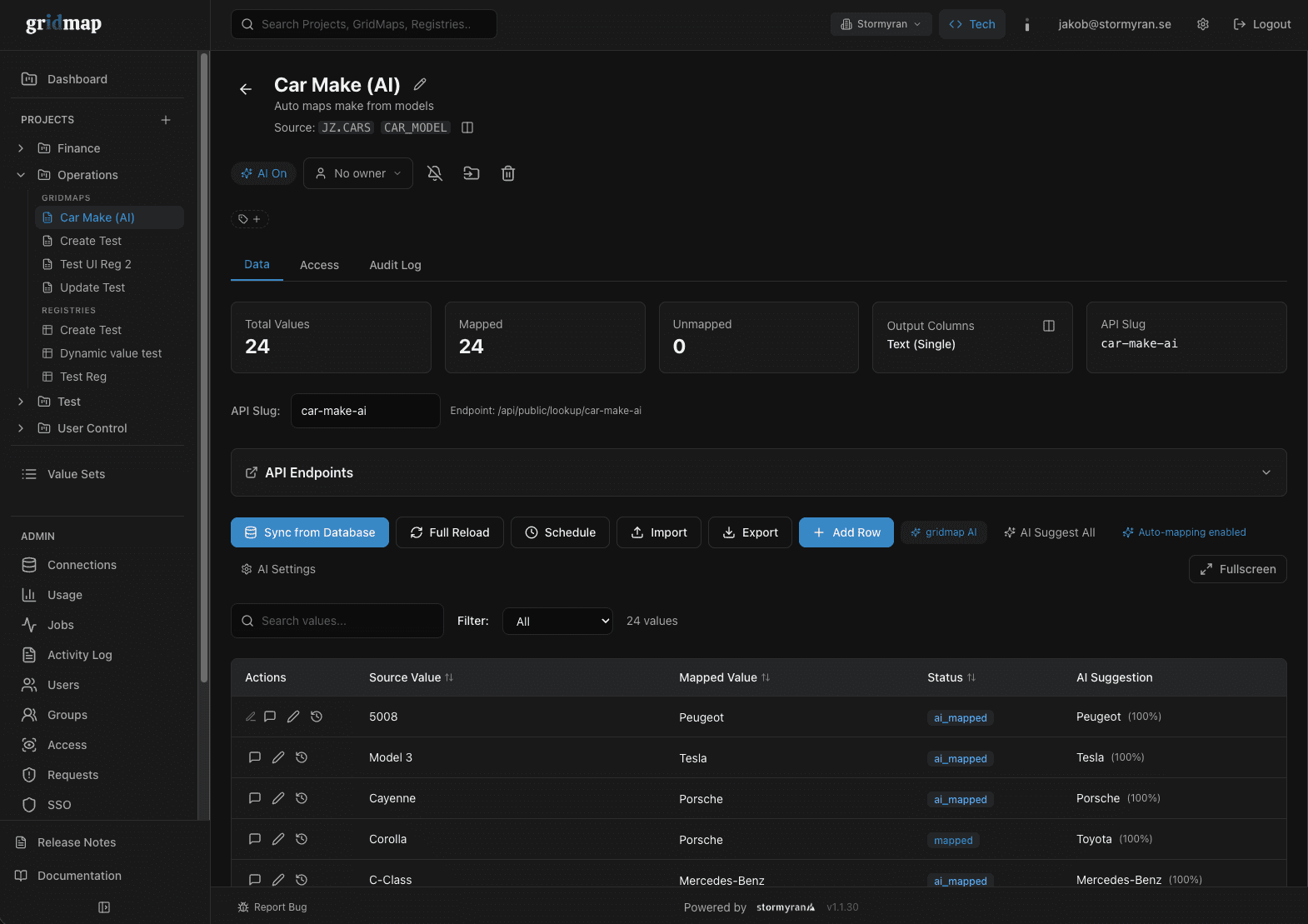
AI-assisted mapping in Gridmap

AI suggests mappings for thousands of values at once, sorted by how confident each suggestion is.

An example from our work

Watch retail chain

Mappings owned by the business, in a Snowflake data warehouse

The chain's Snowflake and dbt data warehouse fetches mappings and reference data from Gridmap on every run, and the sales and finance models build on them.

When a mapping changes in Gridmap, the change follows into the next run without anyone touching the code.

Governance and security

Versions and log

Every change is saved with name and time, and earlier versions are kept.

Permissions

Role-based access and row-level security. Sign-in with SSO through Entra ID or Google Workspace, and MFA.

AI suggestions

You decide whether AI suggestions are reviewed before use or applied automatically.

Data in the EU

All data in Gridmap is stored within the EU.

For data and IT teams: connecting Gridmap to the warehouse

Your warehouse reads Gridmap over a REST API with support for incremental loads (delta sync). Each run fetches only the rows that changed since the previous run, and each API key is scoped to one project.

Mapping tables that live as seeds in the dbt project today can move to Gridmap and be read as a dbt source. The business maintains them there, and the calculations stay in dbt with their tests.

Get started for free

You can try Gridmap for free with one GridMap and two users. Prices for larger teams are on gridmap.se, and we are happy to help connect Gridmap to your data warehouse.

Frequently asked questions

See which rules in your reporting fit in Gridmap

Book a demo and we will go through your mappings and what would make sense to move. We will get back to you within 24 hours.